Be the best advocate for your child — with clarity, knowledge and calm.
SEND Anchor helps you spot triggers, track patterns and turn daily behaviour into insights you can use at home and in meetings.
Takes 2 minutes to set up. No app store download.

What SEND Anchor helps with
A calm, practical way to understand your child's behaviour and feel more confident in daily life.
Daily behaviour logging
Quickly log behaviours and what happened before and after — sleep, mood, food, school and more.
Patterns over time
See patterns across days and weeks — triggers, times and settings — so you can spot what's really going on.
Intervention Coach
Get ideas and coaching to plan and try strategies, and track what actually helps your child.
Reminders & routine tools
Set reminders and use simple tools to support daily routines and keep tracking consistent.
Chat with Insights
A chat-style view helps you make sense of what you're seeing and what might be behind it.
Export to share
Export summaries to share with school, therapists or doctors — only if and when you choose.
See it in action
A calm, simple app — designed around real family life
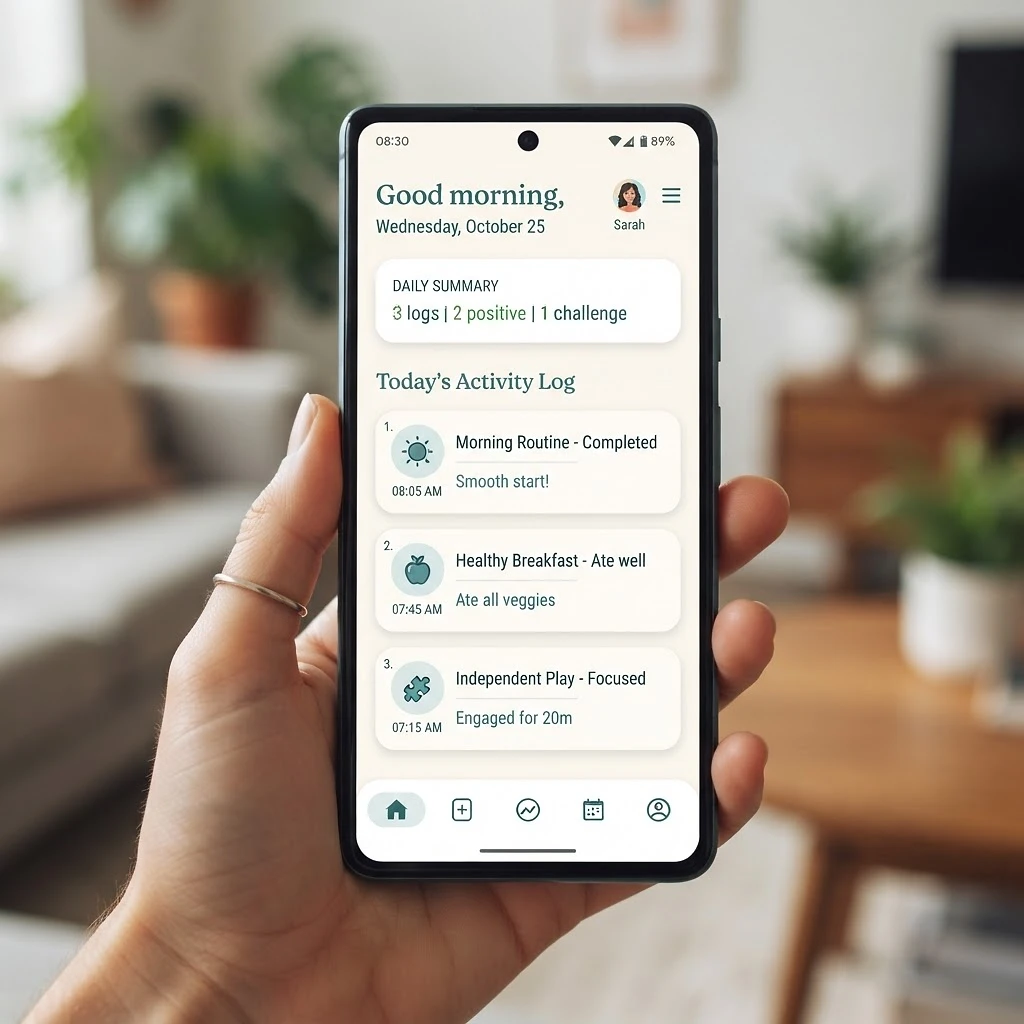
Log behaviours in seconds
A quick, calm daily check-in — mood, sleep, food, school and more.
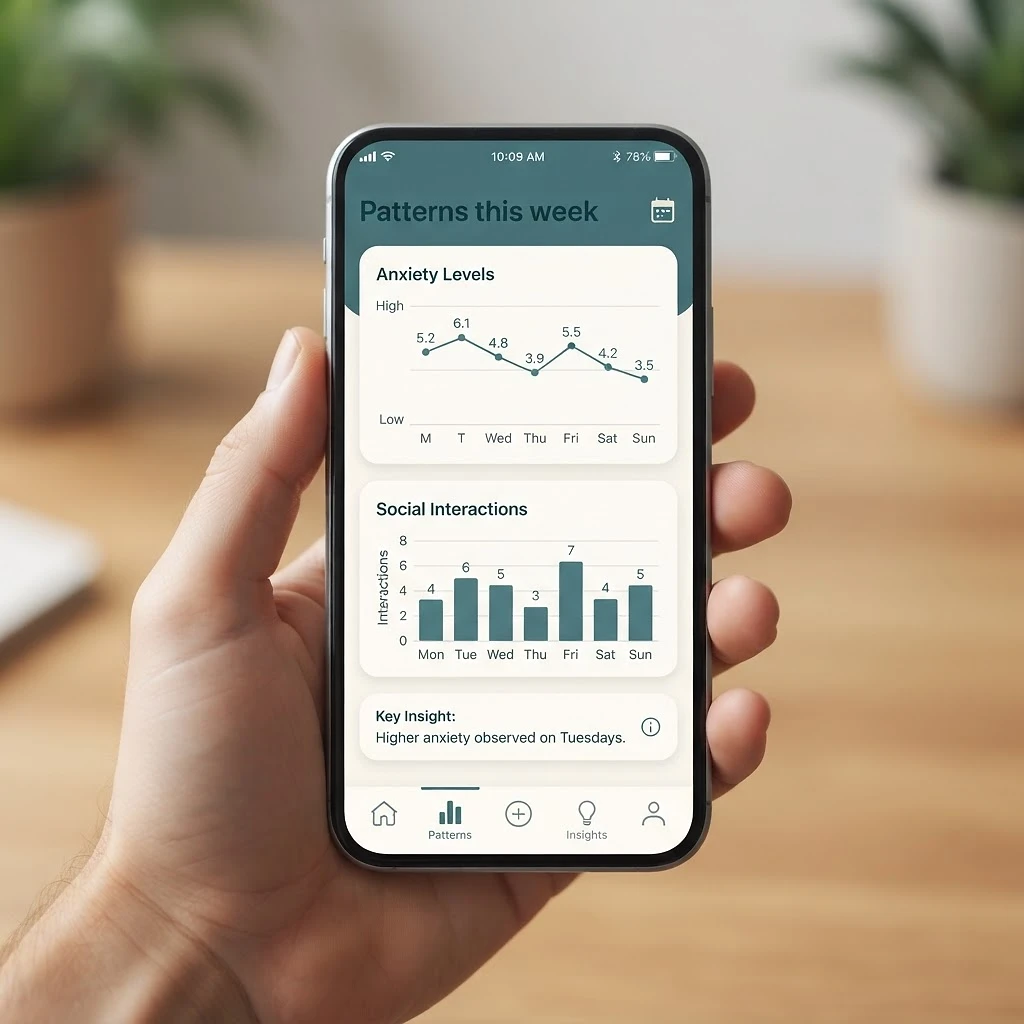
See the patterns
Trends across days and weeks reveal triggers you can act on.
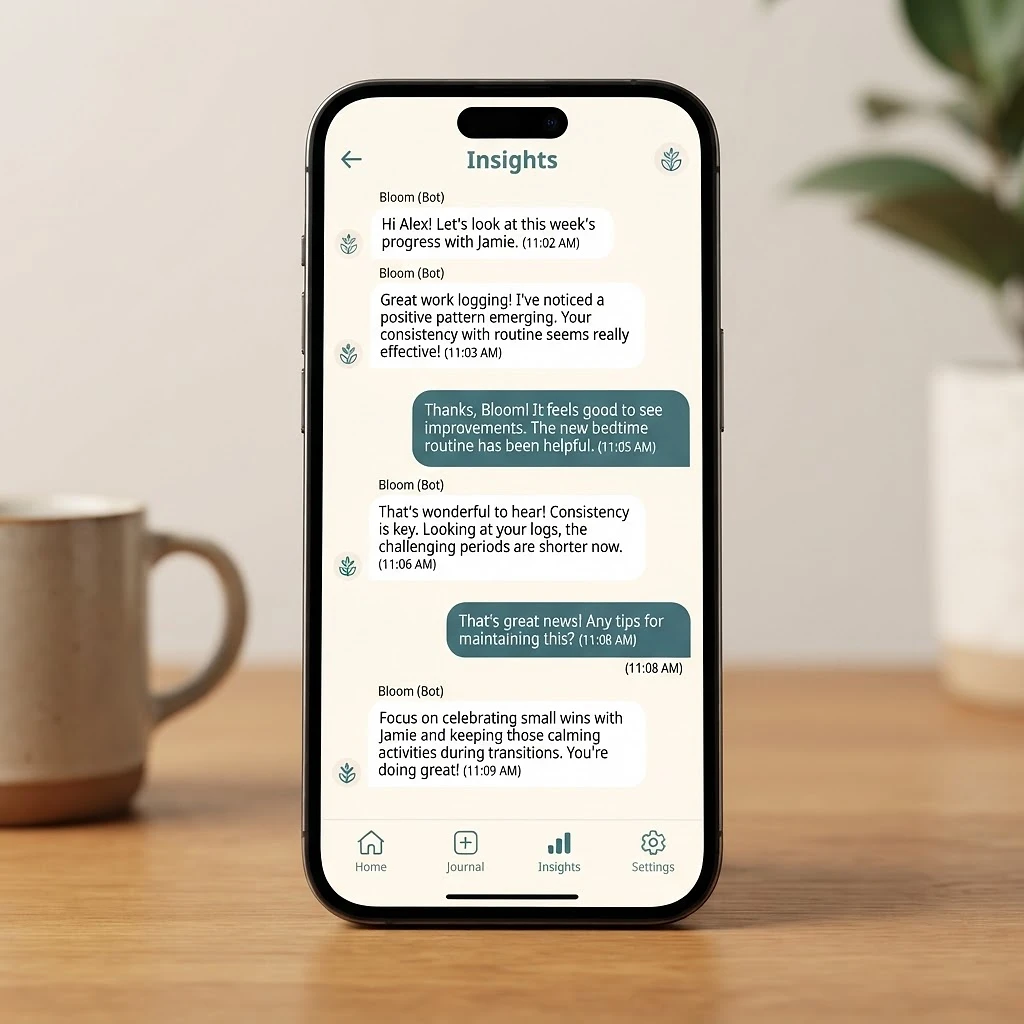
Make sense of it
A chat-style view helps you understand what might be behind it.
Built by a parent
Made for real family life — not a clinic.
I'm a parent navigating SEND, trying to make sense of confusing behaviours and figure out what actually helps. I was drowning in conflicting advice and scraps of notes, never sure what was working.
So I built a calm, practical, non-judgemental tool to bring some clarity and confidence to daily life — designed around real families, not around forms and jargon.
— with care, the SEND Anchor parent
From other families
What parents say after using SEND Anchor
“For the first time I could actually see the pattern — bad nights meant meltdowns by Thursday. Once I could see it, I could finally do something about it.”
“I'd tried so many apps. This one just feels like it gets it. No jargon, no guilt — just a calm place to figure out what helps.”
“Taking the summary into our paediatrician appointment changed the conversation. They actually listened because it was all there in front of them.”
How to use it like an app
No App Store. No download. Just add it to your home screen.
SEND Anchor is a web app. You don't download it from the App Store. You just open the link in your browser and, if you like, add it to your home screen. Then it works like any other app.
iPhone (Safari)
- 1Open Safari and go to sendanchor.com
- 2Tap the Share button (a square with an arrow pointing up)
- 3Tap “Add to Home Screen”
- 4Tap “Add” — the icon appears on your home screen
Android (Chrome)
- 1Open Chrome and go to sendanchor.com
- 2Tap the menu (three dots, top right)
- 3Tap “Add to Home screen”
- 4Tap “Add” — the icon appears on your home screen
Screenshots coming soon — these steps cover the standard Chrome & Safari menus.
Your privacy matters
Common questions about data & privacy
Want the full details? Read our Privacy Policy.
Try SEND Anchor and see if it helps your family.
You can start with a free tier — see pricing in the app.
Open SEND Anchor